
Termix: A free open-source self-hosted SSH client
Have I found the perfect SSH Client?

Monday 23rd February 2026
Updated Tuesday 24th February 2026
Updated Friday 13th March 2026
After I tested out Termius, I thought there must be more alternatives out there. So then I found Termix.

Termix in their own words are describing themselves as an open-source alternative to Termius:
Termix is an open-source, forever-free, self-hosted all-in-one server management platform. It provides a multi-platform solution for managing your servers and infrastructure through a single, intuitive interface. Termix offers SSH terminal access, SSH tunneling capabilities, remote file management, and many other tools. Termix is the perfect free and self-hosted alternative to Termius available for all platforms. - Termix on Github
If that statement holds water we will see. This article was written in real-time as I first set it up.
First Impression
These features are the most critical for me:
Keyword highlighting
Tabs
Automatic Login
Session Manager with folders
Serial Connection
Everything else is just nice to have. Let’s find out if we can check all those boxes.
Since this is a self-hosted tool, I had to spend some time to set it up. In the next article I’m going to post how i set up Termix in my own environment.
This is the dashboard of a fresh installation of Termix:
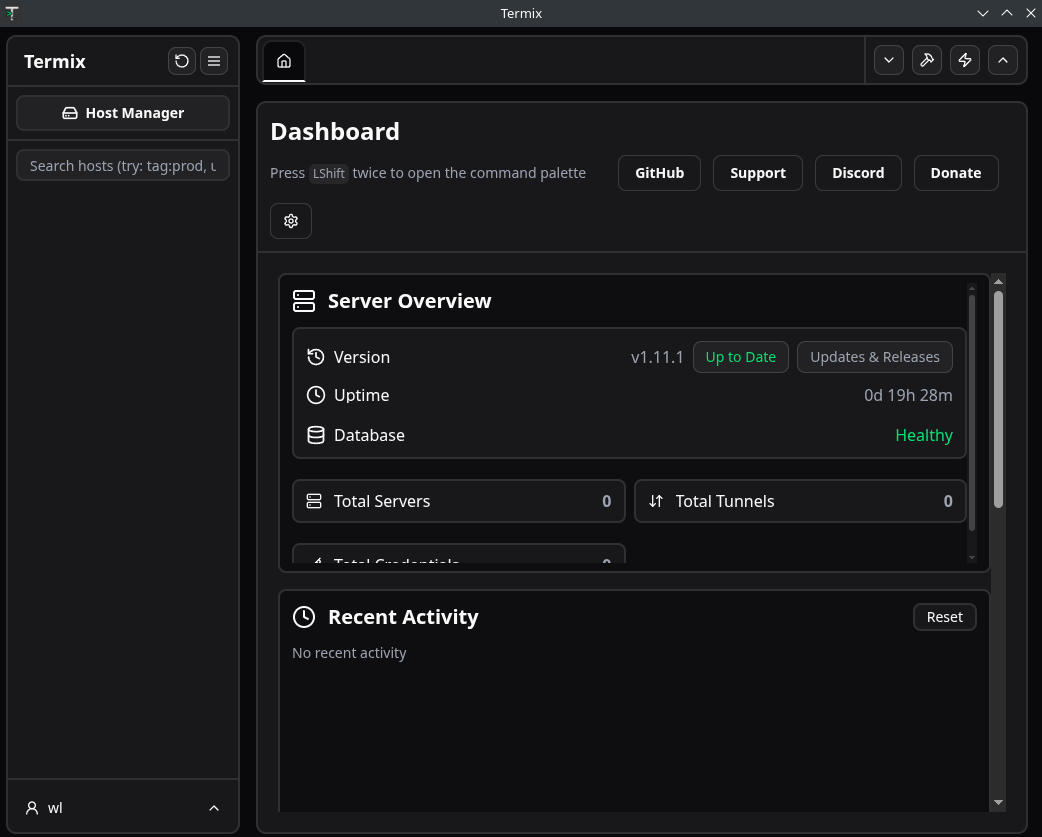
Not as polished as Termius but that is to be expected of an Open Source Project. It still looks fine to me. Let’s see how easy it is to connect to a host.
Setting up the first host
I clicked on Host Manager and then on Credentials, as I want to use FIDO2 authentication… and right away I struggle. There is no option for passkeys:
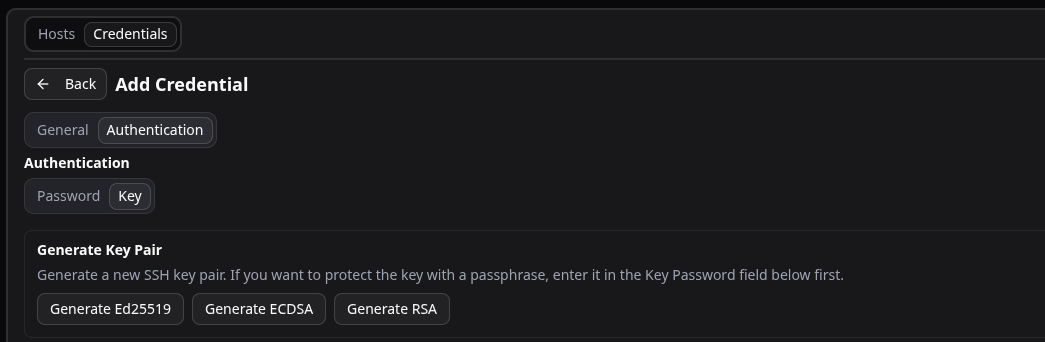
I can’t find it in the roadmap that ed25519-sk authentication is about to be supported either so that is a bit disappointing. However, SecureCRT does not support this either. As far as i know only Termius and VSCode supports it. ED25519 SSH keys are good enough for now.
Adding a host is pretty intuitive and does not require any instructions. Going through the terminal options I saw that they have many themes to choose from:
There are many bells and whistles you can tune here. Unfortunately I didn’t see any option for keyword highlighting.
After the host has been created, you need to go back to credentials and upload the key to the host.
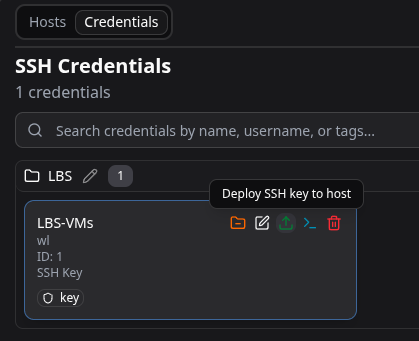
The problem is that I was expecting the GUI to ask me for the password for the initial login so it could deploy the key, but no… I had to temporarily switch to username/password login under the host, before deploying the key.
Now, finally, my first host is up. This took me over an hour to figure out. With Termius, my first host was up in a few minutes. We’re off for a good start.
Setting up my Second host
Since I have a home network and an office network, basically two different organizations under the same roof, I figured I just create a new folder.
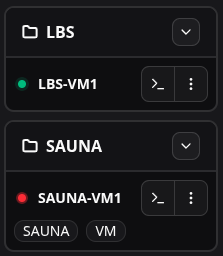
Now I realized that Termix is web-based and the client application is just a Window to the web application. That means:
I can’t use it to reach my own workstationI can’t open a serial connection
I can’t connect to any host outside my organization that isn’t publicly availableI can’t use it offline.
This is absolutely devastating. As a consultant handling different customers equipment, this is not ideal. Worse yet… I just realized that I made my management network reachable over the Internet!
Note: There are some workarounds available like jumphost and SSH tunneling options. However it doesn’t change the fact that you are connecting via the Termix server, not directly from your workstation.
Update: I have been using Termix for at least a month now and it just struck me that a the solution for this problem is to just run the Termix container locally on your machine! Why didn’t I think about that before? Ofcourse, sharing sessions with co-workers will probably not work, but you can at least import and export them. No support for serial connections is still an issue so it won’t replace Termius just yet.
Other Features
After the pain of setting up my first two hosts, let’s see if there are any other features that can win me back.
File Manager
Super easy-to-use file manager. You can just drag and drop files both into and out of the host. At least they got something right.
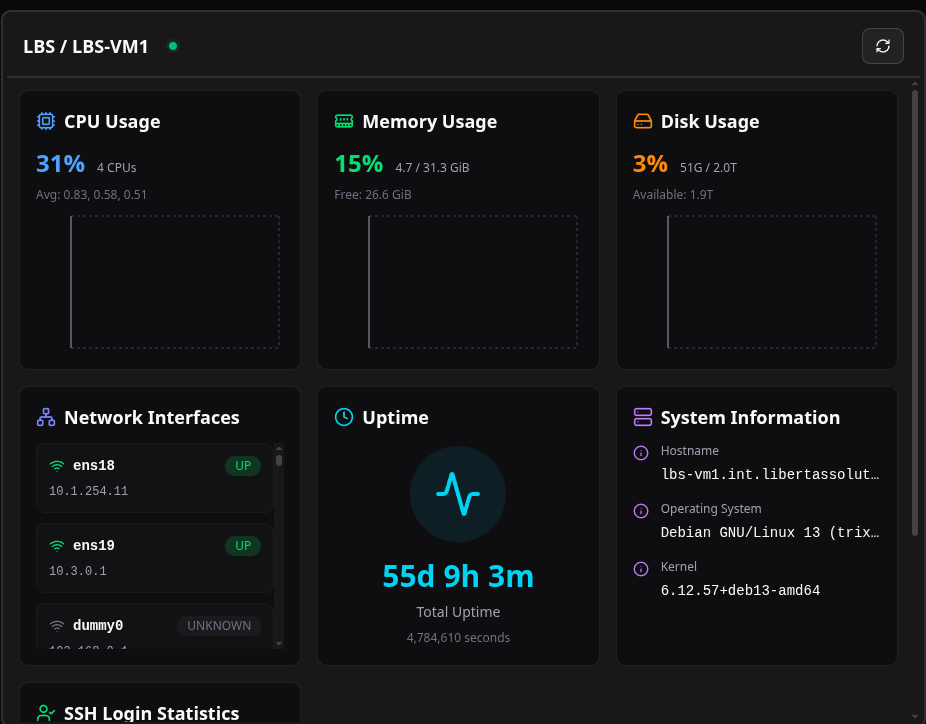
Server Details
This is also pretty cool. You can view useful information about the host:
Share connections
You can share individual connections with other users. What I miss is an option to share a whole folder at once.
Conclusion
This project turned out to be a bit disappointing. Mostly because it branded itself as an open-source alternative to Termius, which is absolutely not correct. The applications have completely different architectures:
Termius is an actual SSH Client application where all the connections are stored and initialized locally on the workstation.
Termix is more or less an advanced jumpstation, where you intitialize your SSH connection from the termix server.
Termix certainly has it’s use-cases, but it’s not what I first had in mind. If I wanted to replace my jumpstation with something more fancy, this is it. But it does not replace Termius.
Update: My opinion has shifted because I didn’t think about the possibility to install docker on your own machine and run it locally. Now Termix actually is getting close to call itself an open source replacement to Termius.
Termius still has some advantages over Termix, but it’s questionable if they are worth paying for when Termix does all of the essential things for free.
Comparisons
So what SSH Client do I recommend so far? If money is not an issue, Termius all the way. Me however will probably use Termix for what it’s worth, and use the free tier Termius for personal use, localhost and serial connection. However, if Termix gets support for serial connections, it can truly call itself an open source alternative to Termius.
SecureCRT is actually not looking that outdated anymore. It can do many of the same features as Termius, it’s just a little more complicated, but with a few benefits of it’s own:
You only need to pay for a license once, no subscription cost. You get free updates for a year but after that you can still use the application. However, the license is bound to the machine, not the user. That is a pain.
So far it is the only application that has done Keyword Highlighting the right way.
Yes, the GUI is a bit outdated but it works. SecureCRT, sorry for ever doubting you.