
pfSense: Setting up DNS Resolver
How-To: pfSense DNS Resolver


Monday 24th November 2025
pfSense can be used as a DNS resolver (Unbound) for clients and can forward requests for public records. This is needed when:
HAProxy is configured to use TLS/SSL to reach backend servers. Otherwise clients visiting the websites will get “SSL validation failed” (unless IP is included) warnings.
You have installed the pfBlockerNG plugin. DNS Resolver is required for DNS Blocklist to function correctly.
Pre-Requisites
Verify DNS Server settings
Go to System > General Setup and verify that DNS are correctly setup. I’m using public DNS servers:
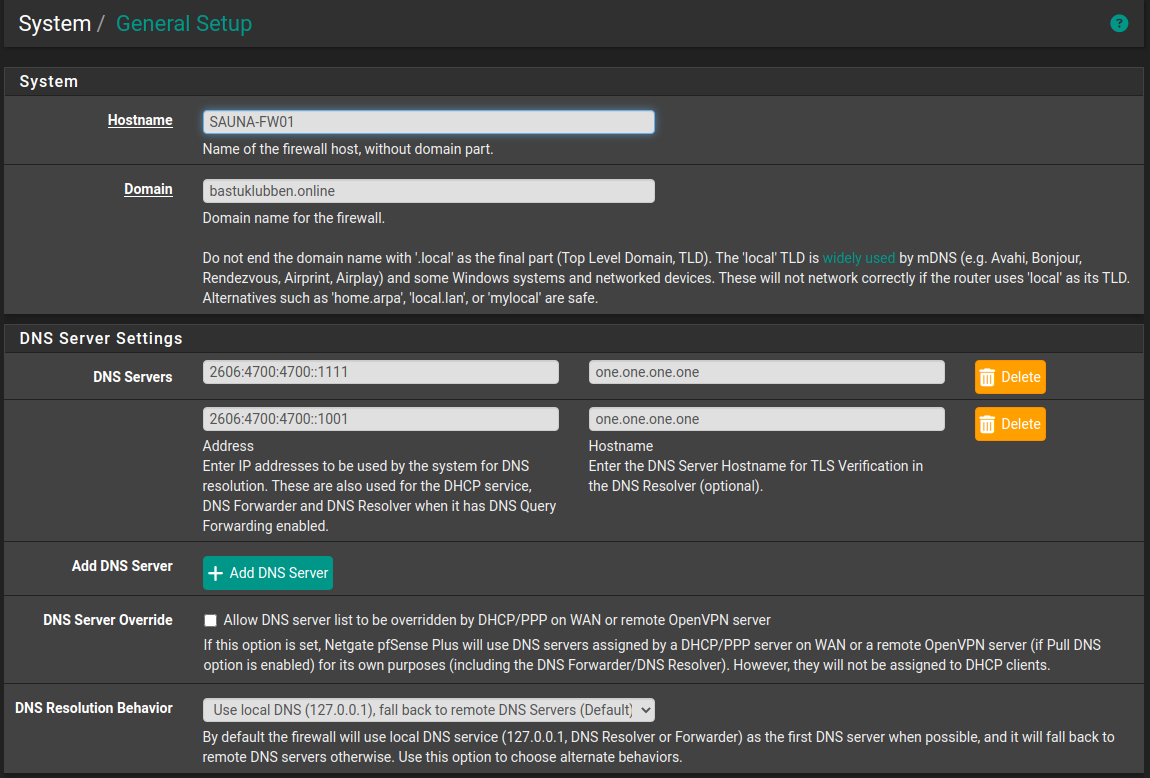
These servers will be used as forwarders when there is no local match.
Also notice that “DNS Resolution Behaviour” is set to “Use local DNS first then fall back to remote DNS”.
Turn off DNS Forwarder
In Services > DNS Forwarder, make sure that this feature is turned off.
DNS Resolver Settings
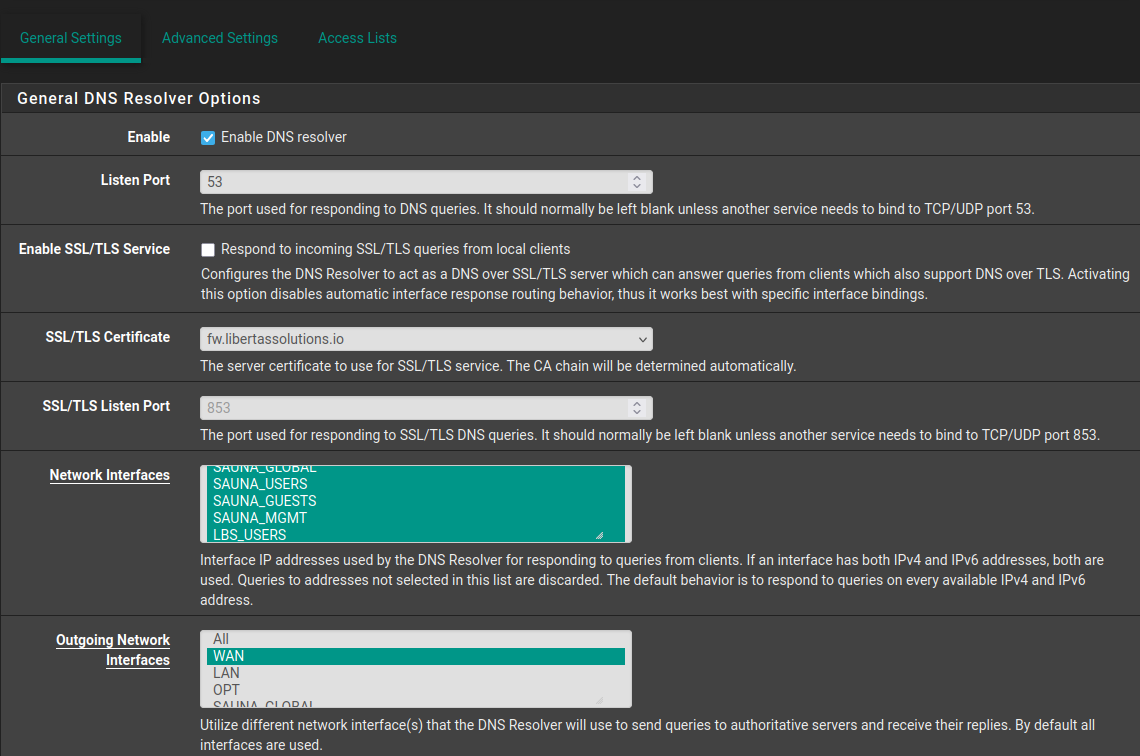
In Services > DNS Resolver > General Settings, following settings are configured:
General DNS Resolver Options
Listen port: blank (53 is default)
Enable SSL/TLS Service: No
SSL/TLS Certificate: can be self-signed or any certificate. It doesn’t matter too much if you don’t use DNSSEC.
SSL/TLS Listen Port: blank (853 is default)
Network Interfaces: Localhost, LAN and/or any VLANs (incoming DNS resolution requests)
Outgoing Network Interfaces: WAN (outgoing DNS resolution requests)
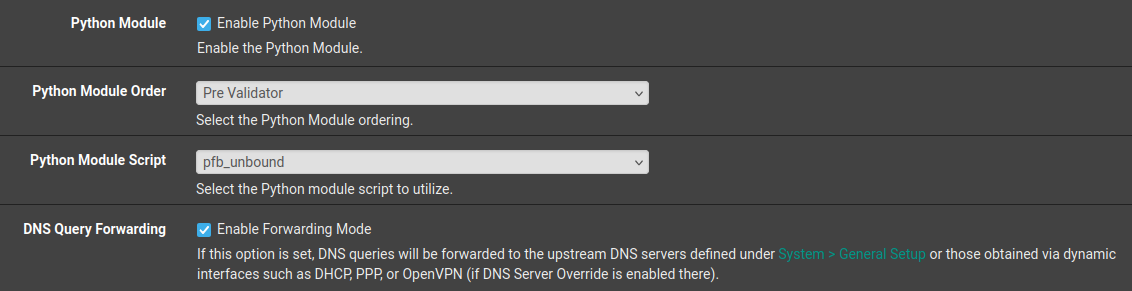
Python Module is recommended to activate as it helps conserving RAM in conjunction with pfBlockers DNSBL module. Note that the script won’t be available until you configure DNSBL, which will be covered in another post.
DNS Query Forwarding is required to forward unkown DNS queries to upstream DNS providers.
The rest is left at its default values.
Host Overrides
Under General DNS Resolver options are “Host Overrides”. These are for configuring static DNS entries that should be resolved by the firewall, and not be forwarded upstream. One example:
Host: pub
Domain: bastuklubben.online
IP Address: 2001:DB8:1234:9001::1
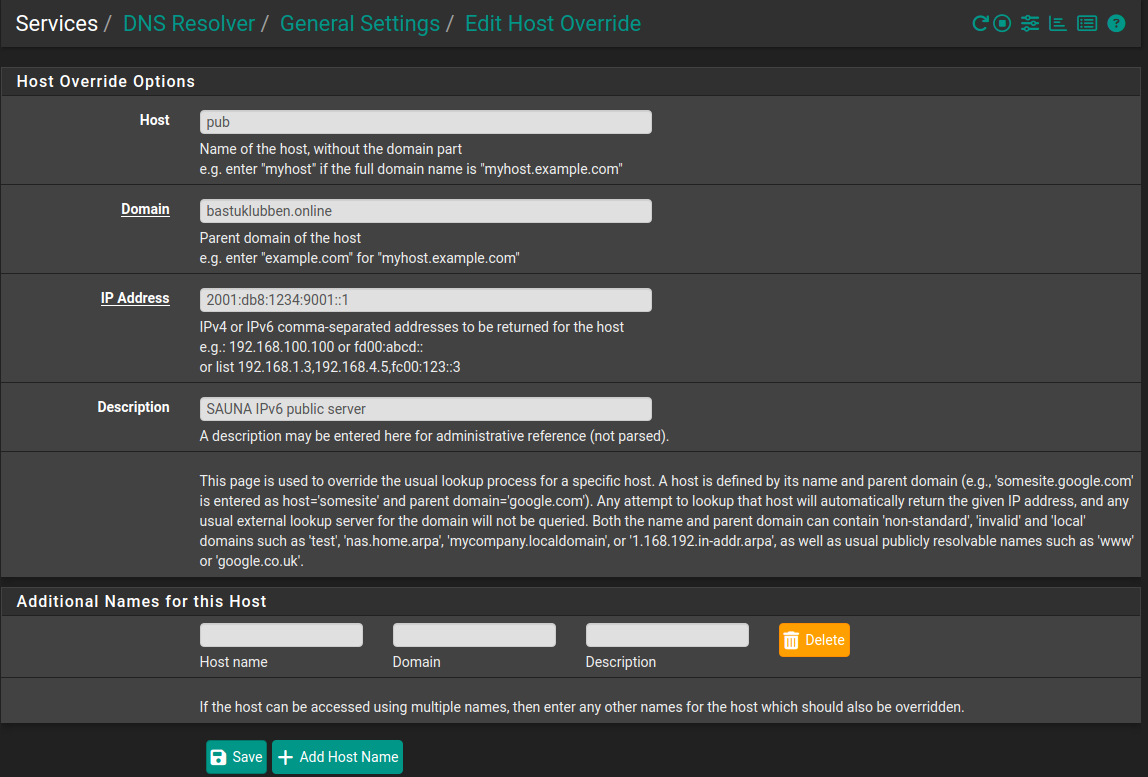
What it basically does is adding host entries in the /etc/hosts file. I actually tried that first, but it didn’t have any effect and the entries disappeared after an update.
Access Control Lists
For accepting queries from another source than localhost, you need to set an ACL. Since IPv6 is enabled on all networks, I only need to permit IPv6 queries.
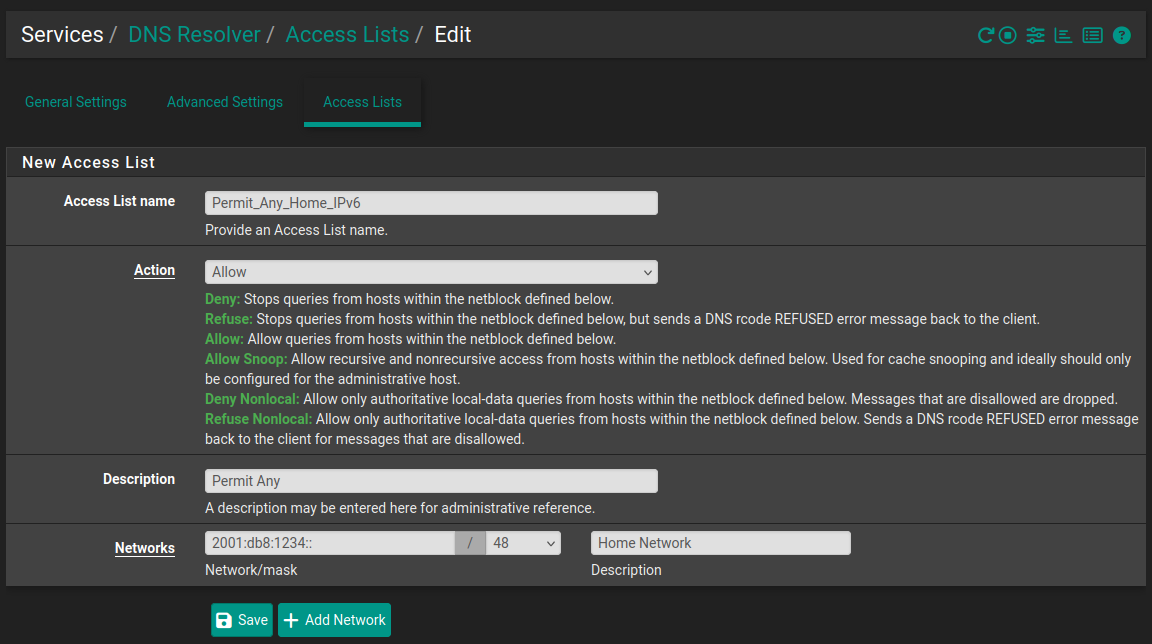
Advanced Settings
Nothing necessary to tweak here for now. The only thing that might be interesting is the DNS64 support but that’s for another day.
Appendix
Caveats Discovered
The unbound process tends to be quite unstable. I noticed that when i make changes related to pfBlocker, Snort or even Dynamic DNS, the unbound process sometimes crashes. However, as long as I don’t touch anything, it stays up.
If DNS forwarding suddenly stops, You can restart the unbound service under Status > Services.
This guide is helpfl for anyone setting up a home network with pfSense. The step by step approch makes DNS configuration much less intimidating. Unbound is a solid choice for local DNS resolution.