
Nextcloud Encryption Part 1: Different Encryption Methods
Nextcloud Encryption Part 1

Thursday 18th December 2025
In Nextcloud, there are 2 ways of encrypting files:
Server-Side Encryption
End-to-End Encryption
The latter is objectively the better option.
Server-Side Encryption
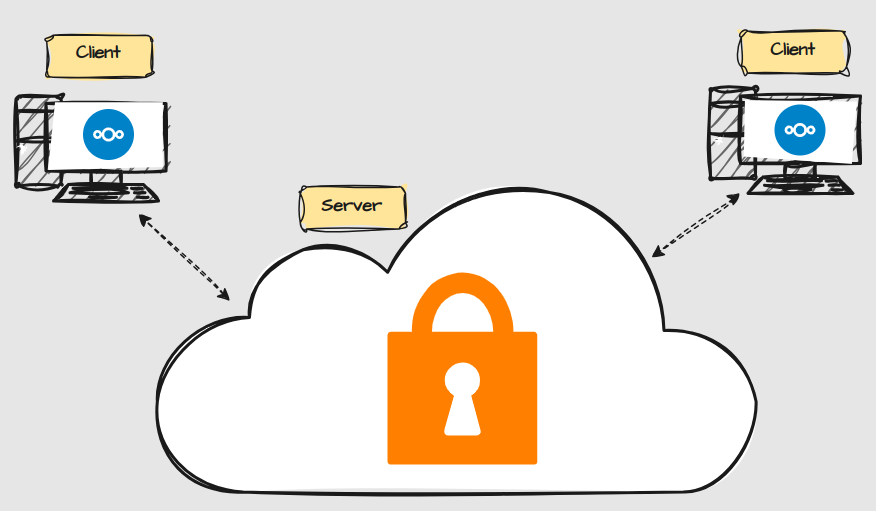
If you are like me: You have just setup your Nextcloud server and you wan’t to activate encryption. You see that the Default Encryption Module app is inactive so you activate that. Then you head over to Security settings and enable Server-Side Encryption and thinks that all your files are encrypted.
Later though, you discover that your files are readable by root:
nextcloud-aio-nextcloud:/mnt/ncdata/wl/files/Documents# ls
-rw-r--r--  1 www-data www-data   13934 Aug  2  2023 ‘Business Stuff’
-rw-r--r--  1 www-data www-data  151590 Aug  2  2023 ‘Recovery-Key.pdf’
-rw-r--r--  1 www-data www-data  846179 Jul  1  2022 ‘screenshot.png’
drwxr-xr-x  3 www-data www-data    4096 Nov 21 10:51 ‘Private Stuff’
-rw-r--r--  1 www-data www-data   48009 Apr  4  2025 ‘Bank_Transfer.pdf’
This is because server-side encryption only protects data at rest. If someone would steal your server, then the thief would not be able to retrieve the data stored on it. However, this might not be what you intended.
You get the same kind of protection by encrypting the disks of the server with LUKS or Veracrypt. Nextcloud server-side encryption only adds some benefit when you have external storage directories.
End-to-End Encryption
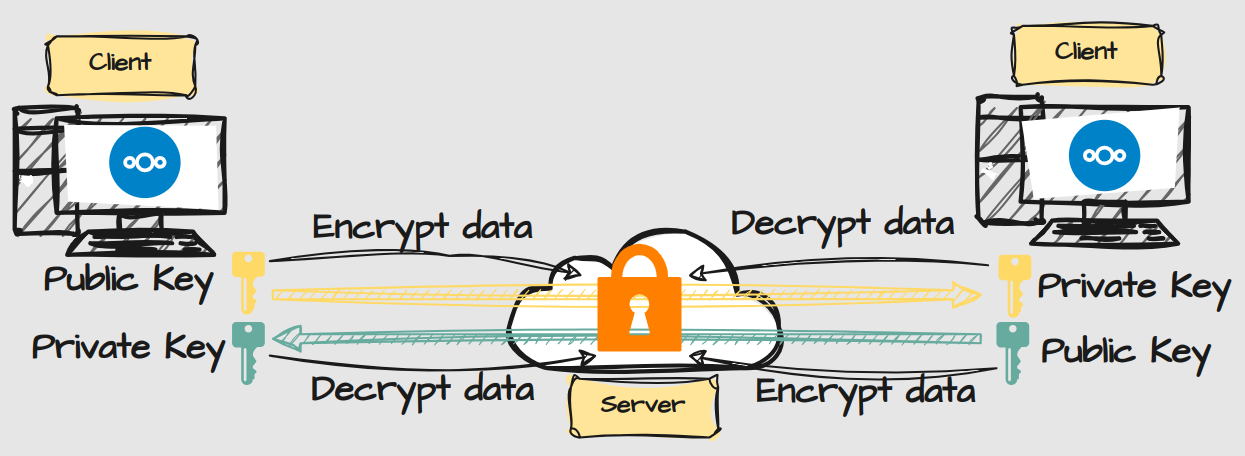
E2EE encrypts the data in a way that not even root can read it, aka Zero Knowledge Protection. That means that only the owner of the files have access to them, which also means that it’s impossible for an administrator to recover your data, in the case that you loose your recovery phrase.
It also comes with another significant limitation: You can’t use the web interface to open your files. You can still share encrypted files internally, but you you can’t use Nextcloud Office to collaborate. This means that it might not be ideal to encrypt everything.
Conclusion
Nextclouds Server-Side Encryption and E2EE are discouraged to be activated at the same time. You can instead encrypt your disks with LUKS or Veracrypt. That won’t conflict with E2EE.
With E2EE comes great security with great responsibility. For directories that contains extra sensitive information, this makes sense. For directories that is used for collaboration, you may want to skip it. There should be no reason to hide work-related documents from your colleagues anyway.
E2EE is clearly the best way to encrypt your files but you have to be aware of the limitations, or you might get disappointed.
In the next post I’m going to disable Server-Side Encryption and setup E2EE instead.